Remote access to industrial plants is nothing new. Vendors, system integrators, maintenance contractors and internal teams have been connecting to PLCs, HMIs, SCADA systems and OT networks remotely for years. The question is not whether to do it, but how it is done in practice. And in practice, across a great many plants, the situation is far from what any security guide would recommend.
The issue is not the technology itself. VPNs, jump hosts, remote assistance platforms, direct connections — any tool can be used well or poorly. The real problem is the lack of architecture: no clear rules on who connects, how, when, with what permissions, with what traceability, and with what ability to respond if something goes wrong.
Why remote access is a critical topic in OT
In IT, remote access is a routine operation managed with well-established tools: corporate VPNs, identity providers, MFA, group policies. In OT the situation is different for at least three structural reasons.
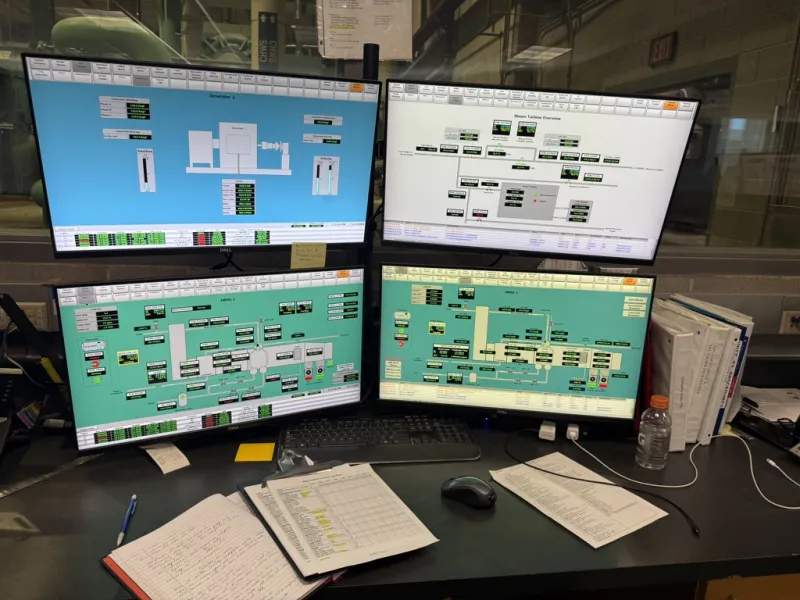
First, the systems reachable remotely — PLCs, HMIs, SCADA, engineering workstations — control physical processes. A wrong change or an unauthorised access can cause a line stoppage, equipment damage, or a safety hazard for people. This is not about data: it is about actuators, motors, valves, operational sequences.
Second, OT environments include systems with very long lifecycles. It is common to find PLCs running firmware from ten or fifteen years ago, HMIs on unsupported Windows versions, industrial switches with no authentication capabilities. Remote access must deal with these constraints, not ignore them.
Third, remote access in OT often involves external parties: machine vendors, integrators, specialised maintenance contractors, software suppliers. Each with their own connection tool, their own credentials, their own habits. Coordinating all of this without a clear structure is the fastest way to lose control.
The most frequent mistakes: what you actually see on plants
Anyone who works on existing plants recognises these patterns immediately. They are not exceptions: they are the norm in many facilities, especially where remote access grew incrementally without an overall plan.
Always-on VPN into the OT network
The VPN gets configured during commissioning or for a maintenance intervention. It works, the problem is solved, and the VPN stays there. Nobody disables it, nobody reviews it. Sometimes the tunnel is site-to-site, sometimes it is a client installed on a vendor's PC. Either way, the permanent connection turns a temporary access into a channel open around the clock into the plant network.
The risk is not just direct access: the vendor's PC, connected to its own corporate network and to the internet, becomes a bridge between the outside world and the OT network. If that PC gets compromised, the attacker has a direct path to the heart of the plant.
Shared credentials with no expiry
A classic: the VPN account or the HMI panel login is a single one shared across the vendor's entire team. The password was set five years ago, sent by email, never changed. People who worked on the plant and later moved to another company still have the credentials.
Without named accounts, there is no way to know who did what. Without expiry, there is no way to revoke access that is no longer needed. Without MFA, the password alone is enough to get in.
Remote assistance tools installed directly on devices
Some vendors install their own remote assistance software directly on the HMI, the IPC or the engineering workstation. TeamViewer, AnyDesk, proprietary OEM software — each with its own logic, its own channel, its own credentials. The result is that the OT network has more entry points than the plant manager realises, each managed independently.
In some cases, these tools completely bypass the perimeter firewall because they use outbound connections to the vendor's cloud servers. Technically, there is no "open port" on the firewall, but the channel exists just the same.
No logging and no traceability
Even when remote access works technically, any form of recording is often missing. Nobody knows who connected, when, for how long, or what they did. If a PLC gets modified during a remote session and the line behaves abnormally the next day, reconstructing the causal chain becomes very difficult without logs.
Direct access to the field level without segmentation
Perhaps the most serious mistake: the remote user lands directly in the network where PLCs, drives and remote I/O reside, with no intermediate control point. No jump host, no DMZ, no restriction on reachable protocols. Remotely, one can do everything that could be done physically in front of the cabinet.
Reference architecture: principles before products
Before choosing a product or a platform, clear architectural principles are needed. Secure remote access in OT is not achieved by adding a tool, but by designing a controlled path between the outside and the plant systems.
Clear separation between OT network and remote access point
The remote user should never land directly in the OT network. They must pass through an intermediate zone — an industrial DMZ or a dedicated segment — where the access services reside: jump hosts, terminal servers, remote assistance gateways. From there, access to OT devices happens in a controlled, limited and traceable way.
This principle is at the core of every serious reference architecture, from IEC 62443 to NIST SP 800-82. It is not a recent invention, but in practice it remains poorly applied.
Jump host or bastion host as a mandatory transit point
The jump host is a machine (physical or virtual) placed in the industrial DMZ, through which the remote operator must pass to reach OT systems. Controls are concentrated on the jump host: authentication, MFA, session logging, protocol and destination restrictions, inactivity timeouts.
The advantage is twofold. On one hand, the jump host becomes the single entry point into the OT network, simplifying defence. On the other, it allows recording and controlling everything that passes through, without needing to install agents or additional software on each OT device — which in many cases is not even possible.
An effective jump host for OT remote access should include at least: strong authentication (MFA), session timeouts, access and activity logging, restriction of reachable destinations (not the entire OT network), regular OS updates, configuration backup. Where possible, video or text recording of sessions for audit and post-intervention troubleshooting.
Strong authentication and named accounts
Every person accessing remotely must have a personal account. No shared accounts, no "user: vendor / password: vendor2020". Authentication must include at least two factors (MFA): something the user knows and something they possess. The options available today are numerous and compatible even with non-cloud environments: hardware tokens, OTP apps, client certificates.
Accounts must have an expiry. If a maintenance contractor ends their engagement or changes company, access must be revoked. If a vendor needs to intervene once a year, the account should be enabled for the session duration and then disabled.
On-demand approval and activation
Remote access should not be "always available". The most secure model requires the remote operator to request access, and someone on the plant side — an operator, a manager, or an automated system with defined policies — to approve and activate it for a set period. When the session ends, access closes.
This approach requires some organisation, but it eliminates the most serious problem: the open, forgotten channel. In critical environments, on-demand access is one of the most effective and least expensive measures to implement.
Protocol and destination restrictions
The remote user should not be able to reach anything in the OT network. If the maintenance technician needs to connect to a specific HMI, the path must be limited to that HMI, with strictly necessary protocols. They should not be able to run port scans, reach PLCs on other lines, or browse to the historian or SCADA server unless their role requires it.
Filtering rules are set on the firewall between the DMZ and the OT network, or on the jump host itself if it supports granular restrictions. The principle is straightforward: least privilege, maximum visibility.
Session logging and traceability
Every remote session must be recorded: who, when, from where, to which destination, for how long. If possible, also what was done during the session. Some jump hosts and remote assistance platforms offer video or text session recording — a useful feature both for audit and for post-intervention troubleshooting.
Logs must be stored on a system separate from the OT network, protected from tampering, with adequate retention. In the event of an incident, remote session logs are often the only source for reconstructing the sequence of events.
Industrial remote assistance platforms: what to evaluate
There are platforms specifically designed for industrial remote assistance in OT environments. Some automation vendors offer their own integrated solutions; independent products also exist. It is not the purpose of this article to recommend a specific product, but there are evaluation criteria worth considering.
No platform solves the problem on its own. Without organisational rules — who can connect, when, with whose approval, within what limits — the tool remains a technical instrument without governance.
The machine vendor case: an organisational problem before a technical one
One of the most complex situations in practice involves machine builders (OEMs). The vendor supplies the machine, commissions it, and then needs remote access for support, updates and diagnostics. Perfectly reasonable so far.
The problem arises when every vendor demands their own access channel, with their own software, their own credentials, their own logic. In a plant with ten machines from five different vendors, you can end up with five different remote assistance solutions, each with its own rules, risks and opacity.
The answer is not to ban vendor remote access — that would be impractical and counterproductive — but to define clear rules:
- Vendor remote access must go through the plant's own infrastructure, not through parallel, ungovernable channels.
- Credentials must be named, managed by the plant, with expiry dates.
- Every session must be approved and traced.
- Reachable protocols and destinations must be limited to what the specific intervention requires.
- Maintenance contracts must include minimum clauses on access security, responsibilities and credential management.
In reality, enforcing these rules takes time, negotiation and often a shift in mindset on both the plant and vendor side. But it is a necessary step, especially in light of NIS2 supply chain security requirements.
Remote access and IEC 62443: what the standard says
IEC 62443, the primary reference standard for industrial cybersecurity, addresses remote access explicitly. In particular:
- IEC 62443-3-3 (System security requirements) includes requirements on identification and authentication of remote users, access control, audit trails and session management.
- IEC 62443-2-1 (Security management system) requires policies and procedures for managing remote access, including from vendors and maintenance contractors.
- The zones and conduits concept (IEC 62443-3-2) implies that every remote communication flow must cross a defined conduit, with security requirements consistent with the risk level of the destination zone.
The standard does not prescribe a product or technology, but establishes principles and security levels (Security Level, SL) that guide architectural choices. For most plants, reaching SL 2 on remote access — meaning protection against intentional attacks with limited means — already requires a significant jump from the typical situation.
NIST SP 800-82 Rev. 3: practical guidance
NIST SP 800-82 Rev. 3, the key reference guide for OT security, gives specific attention to remote access in the context of industrial control systems. Among the relevant guidance:
- Remote access must go through controlled and monitored entry points, not directly to field devices.
- VPN connections should terminate in a DMZ, not in the control network.
- Multi-factor authentication is recommended for all remote access to OT systems.
- Remote sessions should be time-limited and recorded.
- Vendor access should be managed with at least the same rigour as internal access, if not more.
These are indications that mirror the principles already described. The value of the NIST document lies in its systematic approach and in providing a common language between those who manage the plant, those who design it and those who must verify its security.
What NIS2 changes
The NIS2 directive does not specifically mention "remote access", but several requirements touch it directly:
- Access management: the directive requires access control measures proportionate to risk, including multi-factor authentication where appropriate.
- Supply chain security: vendors with remote access to critical systems fall squarely within the scope of supply chain security.
- Incident management: without traceability of remote access, reconstructing an incident and demonstrating response capability becomes very difficult.
- Business continuity: a compromised remote access causing a plant shutdown is an event that NIS2 requires organisations to manage, report and document.
For organisations within the NIS2 scope, ungoverned remote access represents an obvious, documentable vulnerability. This is not a theoretical risk: it is one of the first things an auditor or a technical assessment will check.
Remediation path: where to start in practice
Sorting out remote access on a plant does not happen overnight. There are contractual constraints with vendors, entrenched habits, legacy systems that do not support MFA, production schedules that cannot be freely rearranged. But a gradual, realistic path is possible.
Phase 1 — Map the current state
Before changing anything, you need to know what is there. This means:
- listing all active remote access channels: VPNs, remote assistance tools, vendor cloud connections, modems, 4G/5G routers;
- for each channel, documenting who uses it, with what credentials, towards which destinations, how often;
- checking which channels are permanent and which are activated on demand;
- identifying channels that bypass the perimeter firewall.
This phase often reveals surprises. Forgotten channels, VPNs configured years earlier and never decommissioned, remote assistance software installed during a commissioning and left running. It is the essential starting point.
Phase 2 — Define the rules
Based on the mapping, minimum rules are defined:
- which channels are permitted and which must be decommissioned or consolidated;
- what the standard path should be: VPN to DMZ, then jump host, then OT destination;
- who approves and activates sessions;
- what credentials are acceptable (named, with expiry, with MFA);
- which protocols and destinations are allowed for each role.
Phase 3 — Progressive implementation
Implementation is rarely a big bang. Start with the most critical or most exposed channels, consolidate entry points, introduce the jump host, enable logging. Vendors are informed and involved gradually. Temporary exceptions are documented and managed with compensating measures.
A frequent mistake is trying to do everything at once and then stalling at the first organisational resistance. A three-to-six-month path with concrete results is better than an ambitious project that stays on paper.
Phase 4 — Verification and maintenance
Remote access rules are not a one-off project. They need periodic review: new vendors, new equipment, staff changes, tool updates. A semi-annual or annual review of active access, credentials and logs is the minimum to maintain control over time.
1. No direct remote access to the OT network without going through a DMZ or jump host
2. Named accounts with expiry and MFA for every remote operator
3. Sessions activated on demand with approval, not permanent
4. Destination and protocol restrictions by role
5. Full logging of every remote session, stored outside the OT network
6. Up-to-date inventory of all active remote access channels
7. Minimum contractual clauses for vendors with remote access
8. Periodic review of access, credentials and logs
Mistakes to avoid during remediation
"Every vendor uses their own tool, we cannot do anything about it"
"The VPN has been active for years, we are not touching it"
"The firewall blocks inbound ports, so we are safe"
"MFA in OT is not possible"
"The logs exist, somewhere"
Single, governed entry point for all remote access
Sessions activated on demand with approval and timeout
Verification of outbound channels and installed remote assistance software
MFA on the jump host, not necessarily on every single OT device
Centralised logs, protected and with defined retention
Our take
Remote access is one of the areas where the gap between "how it should be" and "how it actually is" is widest. Many plants have been running on improvised remote access for years, and the fact that no serious incident has occurred does not mean the architecture is sound. It means it has not been tested yet.
Getting remote access in order does not necessarily require massive investment. What it requires first is a decision: to know who is connecting, to control how they do it, and to be able to act if something goes wrong. The rest is implementation.
Want to check the state of remote access on your plant?
Contact us for a technical mapping — we analyse active channels, credentials and segmentation, and help you define a concrete, sustainable remediation path.