Ask "do you do backups?" in a plant running Siemens PLCs and you will almost always get a yes. But the real question is different: if tomorrow morning the SCADA server, the engineering station and two S7-1500 CPUs were unusable, could you rebuild everything and restart? And how long would it take?
In practice, the gap between "having a backup" and "being able to restore a plant" is huge. In between lie incomplete TIA Portal projects, lost network configurations, drive parameterisations that were never exported, undocumented licences, unarchived firmware and recovery procedures that were never tested. This article addresses the topic concretely, focusing on Siemens environments because they are among the most widespread in European industry, though many principles apply to other vendors as well.
Why OT backup is not like IT backup
In IT, backup is a relatively well-defined problem: databases, file systems, server configurations, VM images. Established tools, standard policies and proven procedures exist. In OT the situation differs for at least three reasons.
First: the assets to save are heterogeneous. A typical Siemens plant includes S7-1500 or S7-1200 CPUs, Comfort or Unified HMI panels, SCALANCE switches, WinCC servers, possibly a historian, SINAMICS drives, safety programs, ProfiNET configurations and network routing tables. Each component has its own format, export method and dependencies.
Second: the TIA Portal project backup is not the plant backup. An .ap17 or .ap19 file contains the engineering project, but does not necessarily reflect the actual state of the CPU in production. If someone performed a direct download without updating the offline project, the archived file is already out of sync.
Third: restoration is not transparent. Restoring a Siemens PLC is not like restoring a VM. You need the correct TIA Portal version, active licences, the same CPU firmware version (or a compatible one), any GSD files for third-party ProfiNET devices, and often physical or remote presence of someone who knows how to reconfigure addresses and network parameters.
What to save: the list that is almost always missing
Most plants only save the TIA Portal project and, in the best cases, a SCADA server image. Much more is needed.
Complete and aligned PLC projects
The TIA Portal project must be complete with all configured stations, up to date with what is running in production, and saved in a format that allows restoration. The TIA Portal "Go online" function allows you to compare the offline project with the CPU contents: it is a useful tool for verifying alignment, though it has limitations on protected blocks and certain hardware configurations.
For each CPU, the following should be archived:
- the TIA Portal project in the correct version (including the installed Update)
- the complete station hardware archive (rack configuration, addresses, communication parameters)
- source blocks, libraries used and any custom libraries
- documentation of blocks with know-how protection, if present
If the plant contains blocks with know-how protection inserted by an OEM or integrator, the project backup may not be sufficient for a complete rebuild. It must be contractually clarified who holds the sources and how they are made available in an emergency. Without this agreement, a lost protected block is a lost block.
Safety programs
In plants with F-CPUs (S7-1516F, S7-1518F, ET 200SP F-CPU, etc.), the safety program has specific requirements. Changes to F-call blocks require re-acceptance of the safety program with a password, and restoration must be consistent with the F-I/O hardware configuration. An incomplete or misaligned safety backup can mean re-doing the validation, which in many contexts involves significant downtime and the involvement of qualified personnel.
HMI panels
Each HMI panel (Comfort Panel, Unified Comfort Panel, Basic Panel) has its loaded runtime. Comfort Panels store the runtime project in internal memory, but if the panel is physically replaced, the WinCC project (Unified or Classic) is needed to regenerate the runtime and download it. Here too, the project must be aligned with what is actually in use.
For Comfort Panels it is possible to perform a runtime backup from the panel itself (via the service menu or WinCC Runtime Control Panel), which includes the configuration, recipes and locally defined users. This copy is useful for a quick restore on the same panel model but does not replace the source project.
Network configuration
In a Siemens plant the ProfiNET network is part of the TIA Portal project, but there are elements that live outside it:
- SCALANCE switch configuration (VLANs, port security, MRP/HRP redundancy, SNMP, syslog)
- configuration of any SCALANCE S industrial routers or firewalls, or SINEMA
- routing tables, NAT rules and IP address assignments if managed manually
- SINEMA Remote Connect configuration or other remote access servers
Managed SCALANCE switches can be configured via web interface, CLI or through SINEC NMS. In any case, the configuration must be exported and archived. A factory reset of a managed switch without a configuration backup can interrupt ProfiNET communication for an entire cell.
Drives and parameterisations
SINAMICS drives (S120, G120, S210) have parameters that directly affect the mechanical behaviour of the plant: ramps, torque limits, control loops, encoder data, PROFIdrive telegram configuration. These parameters are set during commissioning and often modified during production optimisation.
Drive parameter backup can be done via TIA Portal (if the drive is integrated in the project as a station), via STARTER/SCOUT for earlier versions, or through the drive's memory card. The method depends on the configuration. The critical point is that many plants never archive drive parameters after commissioning, and when a drive fails the replacement starts with factory defaults.
SCADA server and historian
A WinCC server (Professional, Unified or WinCC OA) is a complex system: runtime project, database configuration, tags, trends, scripts, users, certificates. The backup must include:
- the WinCC source project (in TIA Portal format or standalone, depending on the version)
- the runtime database backup (historical archives, alarms, trends)
- the operating system configuration, patches, services and permissions
- any OPC connectors, VBS/C scripts, reporting configurations
For WinCC Unified, the runtime runs on a different architecture from classic WinCC Professional, with a Node.js-based application server and a PostgreSQL database. The backup method changes accordingly.
Engineering station
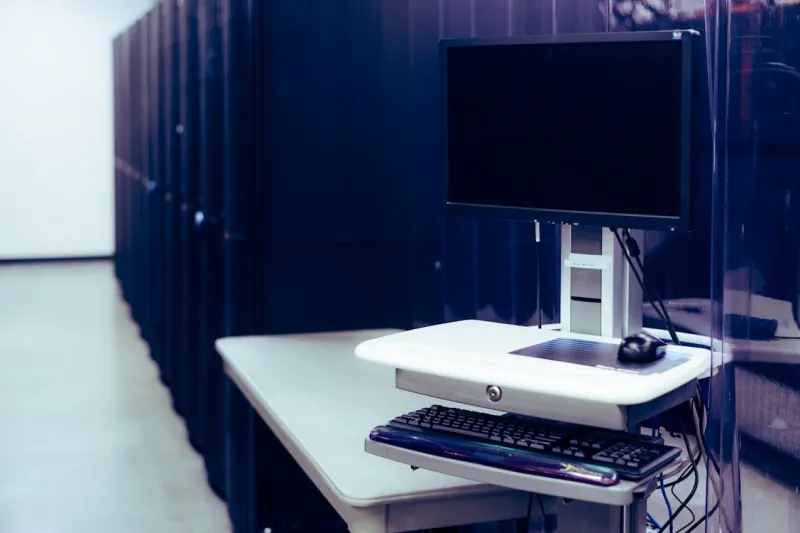
The engineering workstation is often the most underestimated asset. It contains TIA Portal with the specific version and all installed Updates, licences (managed through Automation License Manager), GSD files for third-party devices, custom libraries, templates, possible Add-ins and the network configuration needed to reach the devices. Losing the engineering station without a rebuild plan means being unable to intervene on the plant even for a trivial change.
1. Complete TIA Portal project aligned with production
2. Safety programs with validation documentation
3. HMI runtime backup and panel source project
4. SCALANCE switch and network device configuration
5. Drive parameters (SINAMICS, MICROMASTER, etc.)
6. SCADA/Historian server project and database
7. Engineering station image or rebuild procedure
8. Licences, firmware versions, GSD files, libraries
9. Network documentation (IP, VLANs, routing, firewall rules)
10. Credentials and certificates (stored securely and under access control)
Where and how to store backups
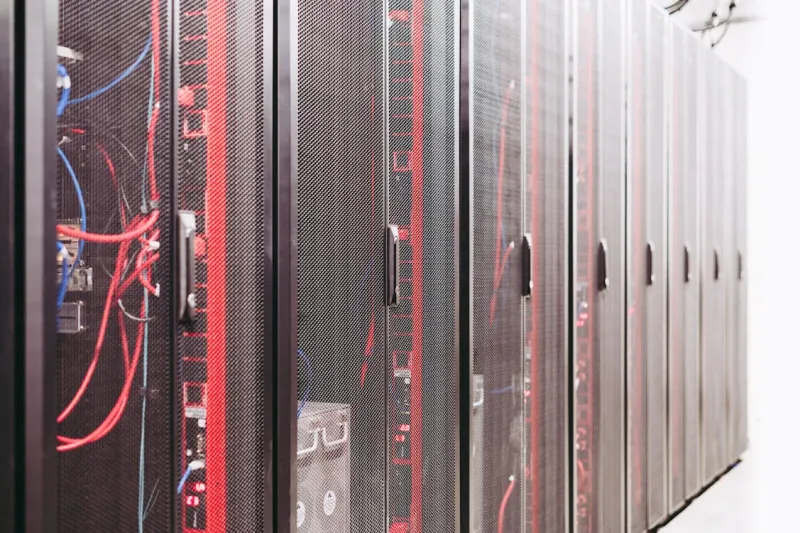
Storing everything on a NAS within the same OT network is not a disaster recovery plan: it is an additional single point of failure. OT backups should meet at least a few basic criteria.
Physical or logical separation
At least one copy must be outside the OT network. This could be a server on the IT network with controlled access, an offline medium (encrypted USB drive stored in a secure location), or a repository in a dedicated segment. The offline copy is particularly important in ransomware scenarios or widespread network compromise.
Versioning
The backup must be versioned, not simply overwritten. If the last backup was taken after an incorrect change, having only the latest copy does not help. It is better to maintain at least the last N versions with date, author of the change and release notes. Some plants use Git for TIA Portal sources exported in XML format (using the project export function), but the solution can vary depending on the context and project complexity.
Frequency and triggers
Backups should not be merely periodic. They should also be triggered by every significant change: after a commissioning, after a maintenance intervention, after a firmware update, after a PLC program or network configuration change. In many plants the problem is not the frequency of automatic backups, but the fact that manual changes are never archived.
Integrity and verification
A backup that cannot be opened, that refers to a TIA Portal version no longer installed, or that contains an incomplete project is not a backup: it is a false sense of security. Periodic backup verification is a simple measure that almost nobody performs. It is enough to open the project on the engineering station, verify that it compiles, and compare the version with what is in production.
OT disaster recovery: backup is not enough
Backup is a necessary but not sufficient condition. Disaster recovery is the ability to restore plant operations within acceptable timeframes, and it requires much more than a saved file.
Documented procedures
Every critical scenario must have a written recovery procedure that includes:
- which assets are involved and in what order they should be restored
- which tools, software versions and licences are needed
- who is authorised and competent to perform the recovery
- what dependencies exist (e.g. network first, then PLC, then HMI, then SCADA)
- what checks to perform after recovery before returning to production
Without this documentation, even with a perfect backup the recovery depends entirely on the availability and memory of whoever knows the plant. During an unplanned outage, under pressure and urgency, that is not a reliable strategy.
Realistic recovery times
The recovery time for an S7-1500 PLC with a ready TIA Portal project is relatively short: program download, verification, switch to RUN. But if the PLC is part of a cell with safety, ProfiNET with third-party devices, and communication with a SCADA server, restoring the single CPU is not enough. You need to bring back the entire functional chain, and that requires time, skills and access to the correct tools.
For a WinCC SCADA server, recovery can take hours or days, depending on whether you start from a disk image, a source project or from scratch. If the original server was a system with years of accumulated customisations, scripts, connectors and configurations, rebuilding it without documentation is a project in itself.
Spares and spare parts
Disaster recovery is not just about software. If an S7-1500 CPU fails and there is no spare in stock, the backup is useless until the component arrives. The same applies to HMI panels, SCALANCE switches, power supplies and I/O cards. A spare parts policy consistent with acceptable recovery times is an integral part of the plan.
For S7-1500 CPUs, the SIMATIC Memory Card contains the program and configuration: if the CPU fails but the card is intact, recovery on an identical replacement CPU is fast. But if the card is also lost or corrupted, the complete TIA Portal project is needed. For S7-300 and S7-400 CPUs still in service, the MMC or Micro Memory Card serves the same function, but with different firmware compatibility constraints.
Recovery testing
An untested disaster recovery plan is a document, not a plan. Testing recovery means trying at least one critical scenario under realistic conditions: rebuilding a PLC station from backup, reloading an HMI panel, bringing a SCADA server back online, verifying that ProfiNET communications resume. You do not need to test everything every month, but never having tested anything is a risk that many plants carry without realising it.
The main engineering station fails. TIA Portal was installed with a specific version plus three Updates. The licences were on that machine. GSD files had been manually imported from various vendors. Custom libraries were not archived separately. Result: even with the PLC project saved, it takes days to rebuild a working environment. In the meantime, no one can intervene on the plant.
The most common mistakes
After years of working on existing plants, certain patterns repeat with regularity.
Backing up the project but not the actual state
The TIA Portal project is saved, but no one checks whether it matches what is running in the CPU. Online modifications, force tables, initialisation values changed at runtime and hardware configurations modified during commissioning create a drift that can make the backup unusable for a clean restore.
No network backup
The configuration of managed switches, VLANs, port security rules, MRP ring, routing tables: all of this lives outside the PLC project and is almost never archived. If a SCALANCE switch needs replacing without a configuration backup, everything must be redone manually, often without up-to-date documentation.
Undocumented licences
TIA Portal, WinCC, STEP 7 Safety and Add-in licences have keys tied to the machine (via Automation License Manager) or to the Siemens portal (License Keys). If the engineering station is lost and the licences are not documented, the engineering software recovery stalls on an administrative problem before it even becomes a technical one.
Backup on a single medium within the same network
A backup on a NAS within the OT network protects against a single component failure, but not against ransomware encrypting the entire segment, a misconfiguration making the NAS unreachable, or a physical event affecting the entire cabinet or server room.
No recovery testing
The most widespread and most dangerous mistake. Many plants discover that the backup does not work, is incomplete or refers to a different version only when they need it. At that point it is too late.
A gradual and sustainable approach
Not every plant can implement a complete backup and disaster recovery strategy at once. A realistic path starts with an inventory of what exists, moves to defining priorities, and arrives at a process that can be maintained over time.
This path does not require extraordinary investment. It requires discipline, dedicated time and the awareness that OT backup is an ongoing process, not a one-off activity.
The link with NIS2 and operational continuity
The NIS2 directive explicitly includes operational continuity, backup management and disaster recovery among its required measures. For industrial companies within its scope, this means that the plant's recovery capability is no longer just a technical matter: it is a governance requirement.
However, there is no need to approach the topic as a compliance exercise. A plant with complete backups, documented procedures and a tested recovery plan is a more resilient plant regardless of regulation. NIS2 in this case does not add artificial obligations: it formalises what should already be good operational practice.
Final considerations
OT backup in a Siemens plant does not come down to a single archived file. It is a set of elements — projects, configurations, parameters, licences, firmware, procedures, skills — that must be consistent with each other and with the actual state of the plant. Disaster recovery is the ability to put these elements back together within acceptable timeframes, and this capability is built before an emergency, not during one.
The question to ask is not "do we have a backup?", but "if the plant had to be rebuilt tomorrow, would we know where to start, with what, how long it would take and who would do it?"
Need an assessment of your plant's backup status and disaster recovery plan?
Get in touch for a technical assessment — we verify what exists, what is missing and how to build a sustainable improvement path.